Redesigning Melbournes Public Transport app to help commuters find what they need instantly
A user-centred redesign of the PTV app, addressing navigation friction and information overload through research, iteration and a new personalisation system.
The Public Transport Victoria (PTV) app helps millions of commuters plan trips around Melbourne. User research revealed friction points that made the app harder to user than it needed to be.
PTV's digital experience suffers from a lack of personalisation and an overwhelming number of screens that users may never discover unless they specifically need them. Additionally, the app's navigation is poorly structured in certain areas, making it difficult for users to find the right features easily.
I decided to solve this problem by taking these actions:
Identifying key observations
Developing a concept
Coming up with re-imaginations
KEY OBSERVATIONS
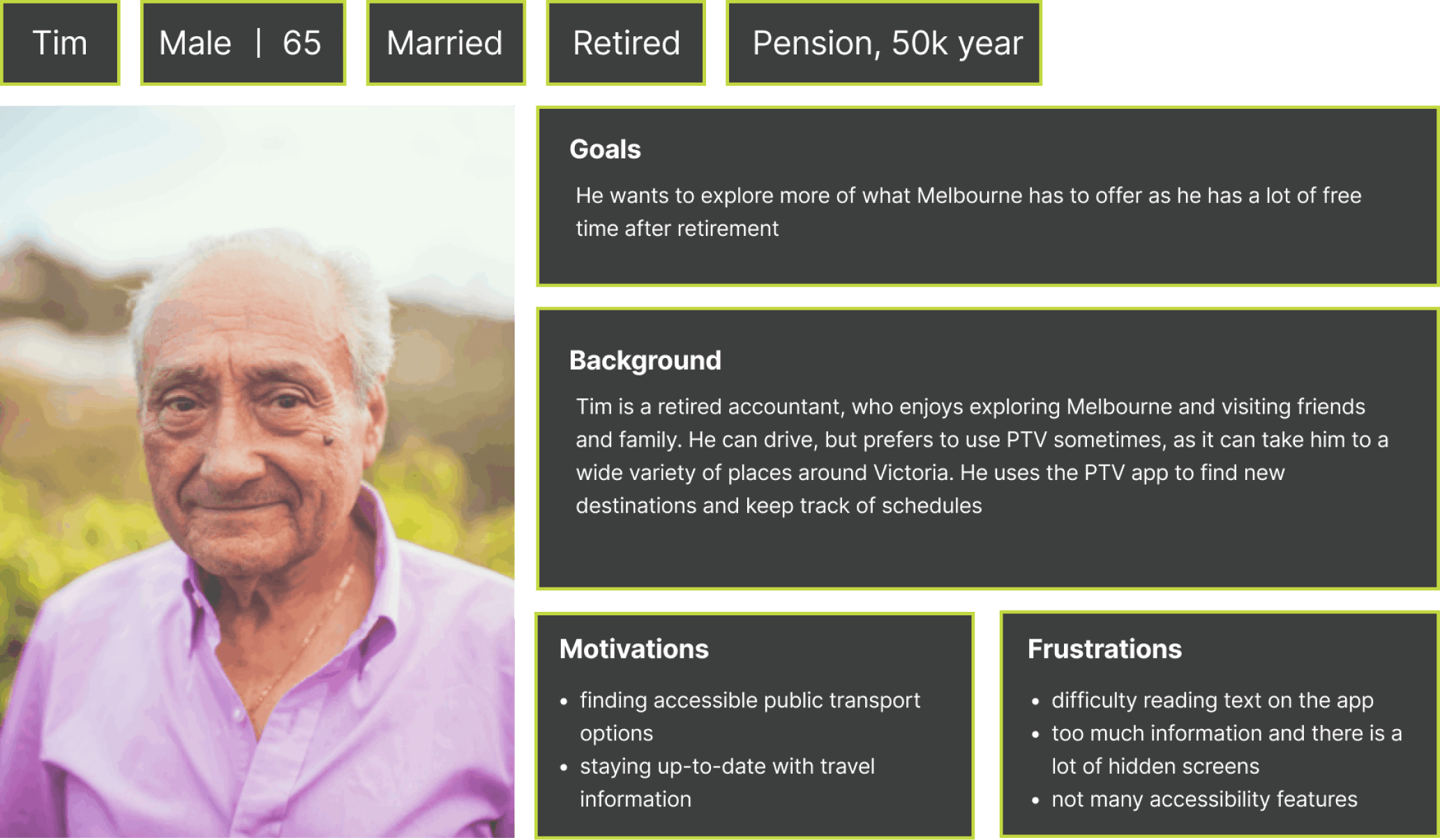
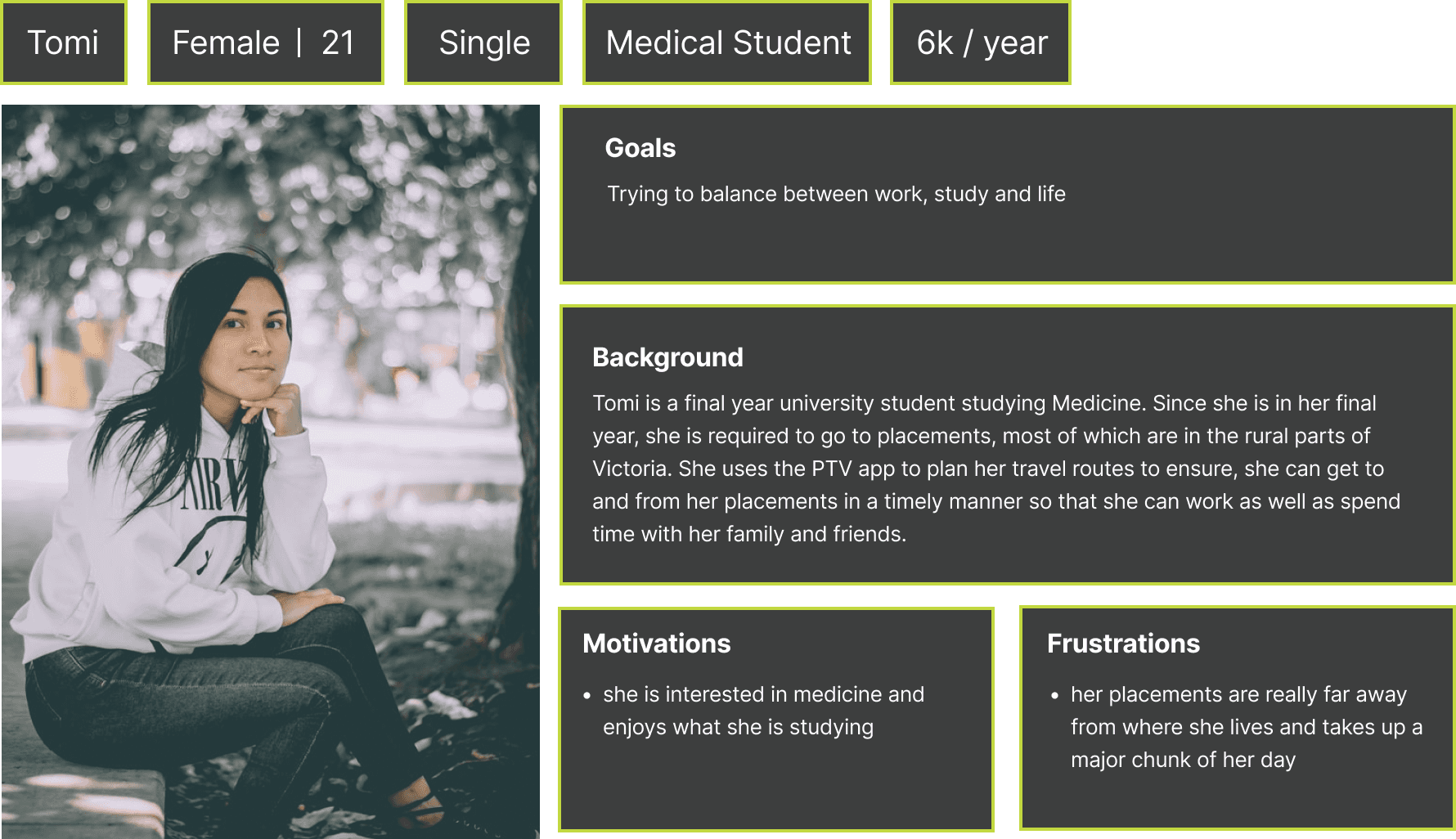
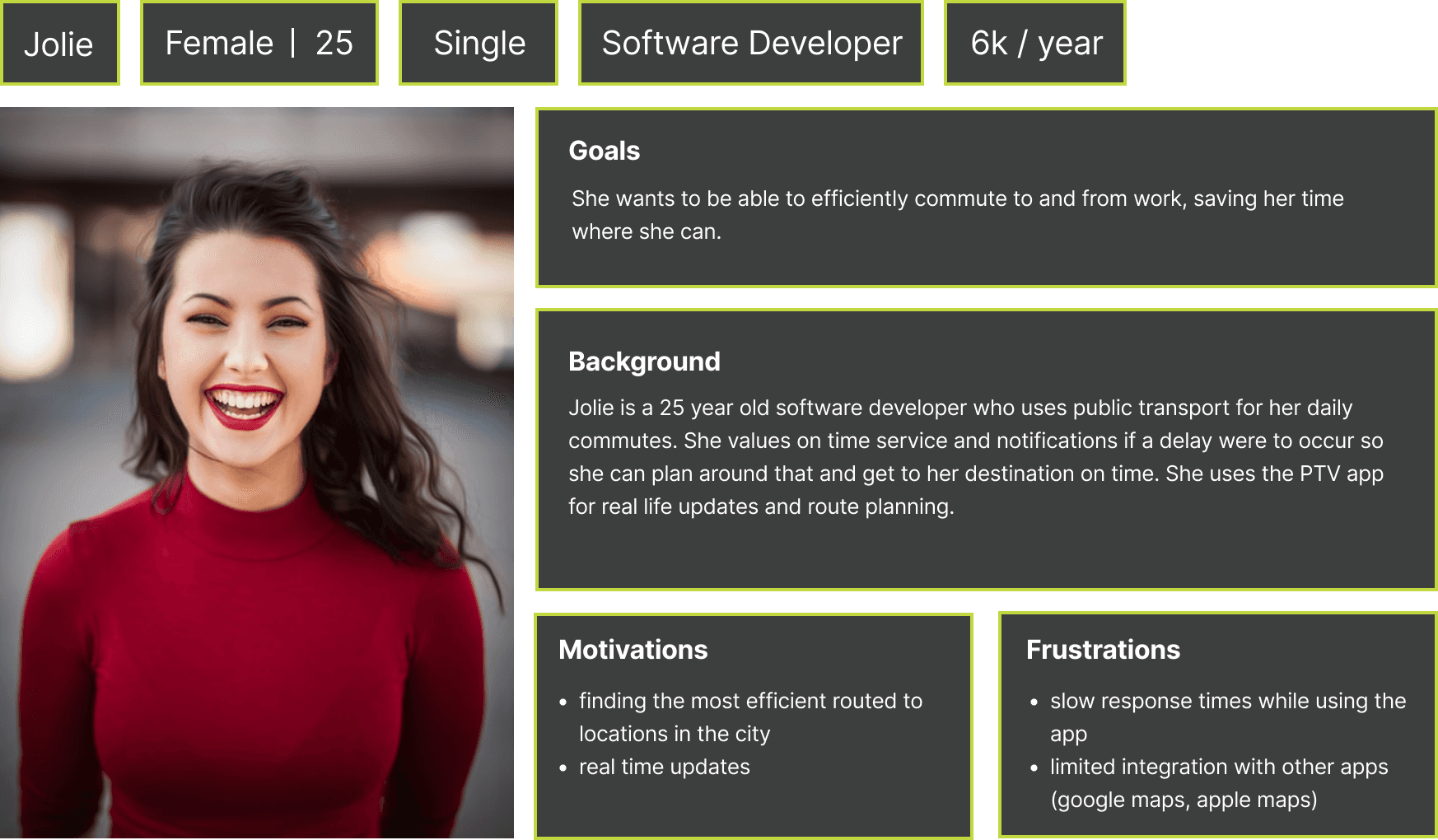
By creating personas and user journey maps, I identified 3 key observations
Misleading button labels
Screens within screens
UI inconsistencies
CONCEPT
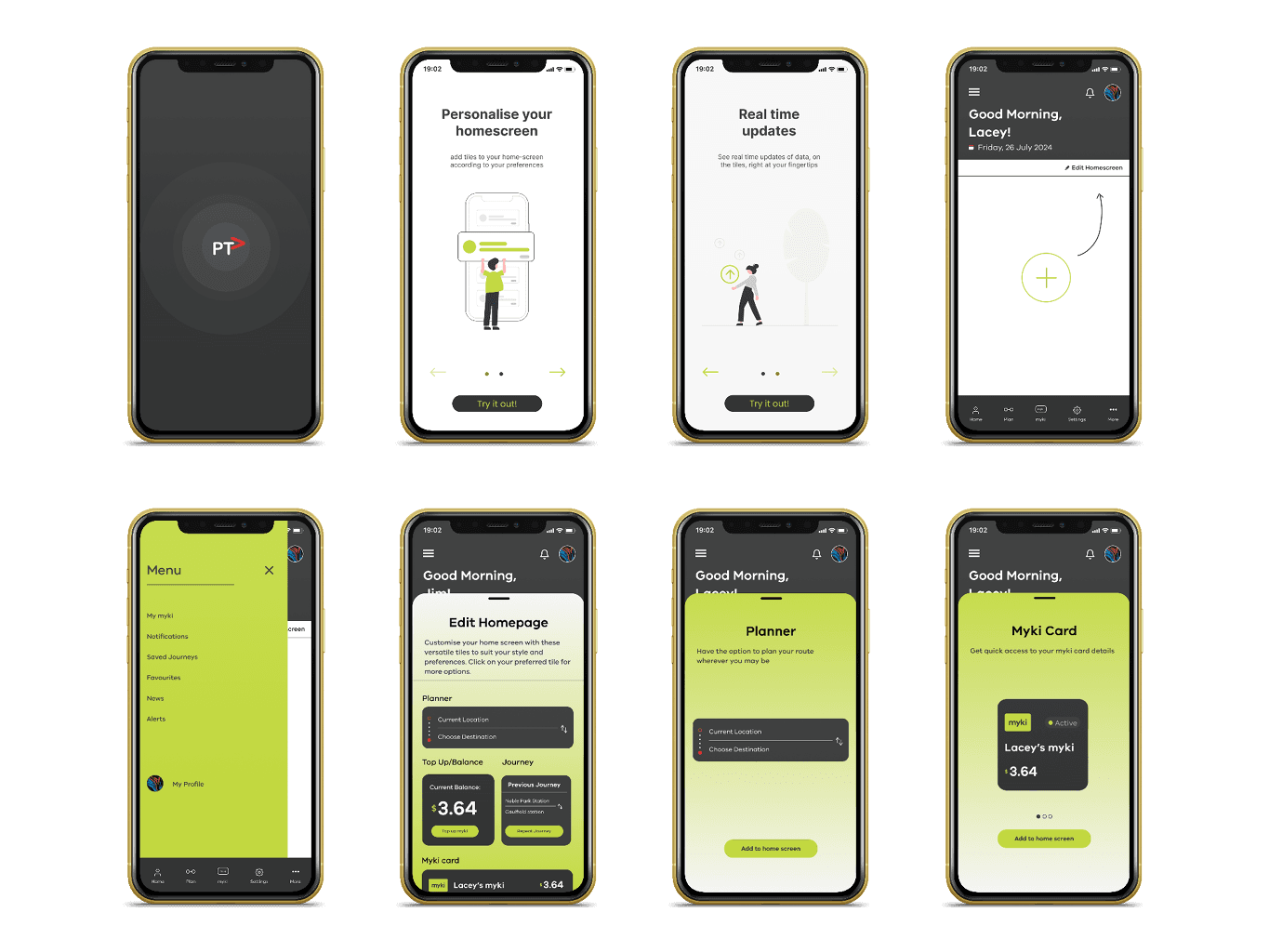
"Imagine being able to personalise your PTV home screen to display exactly what matters most to you."
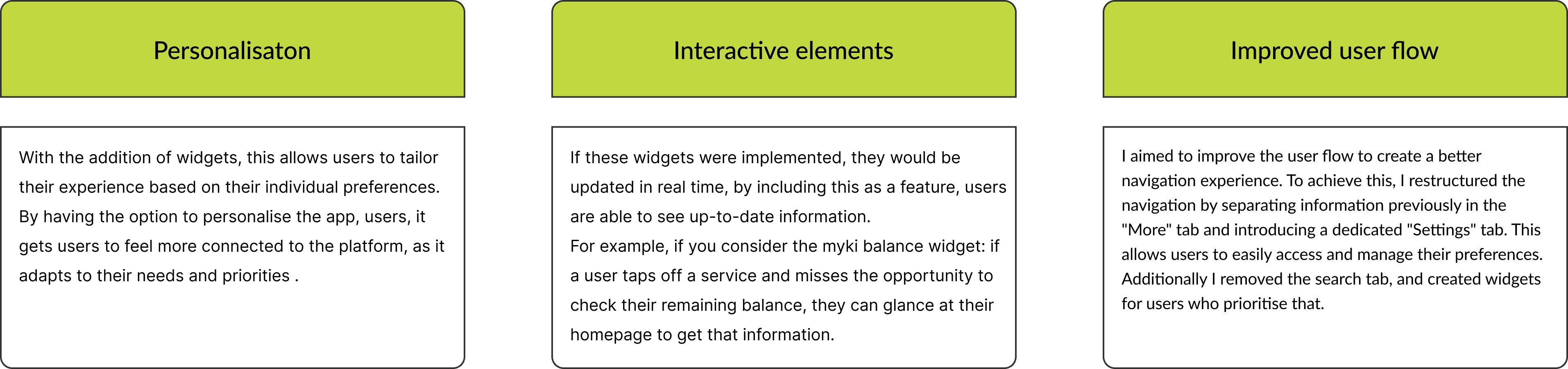
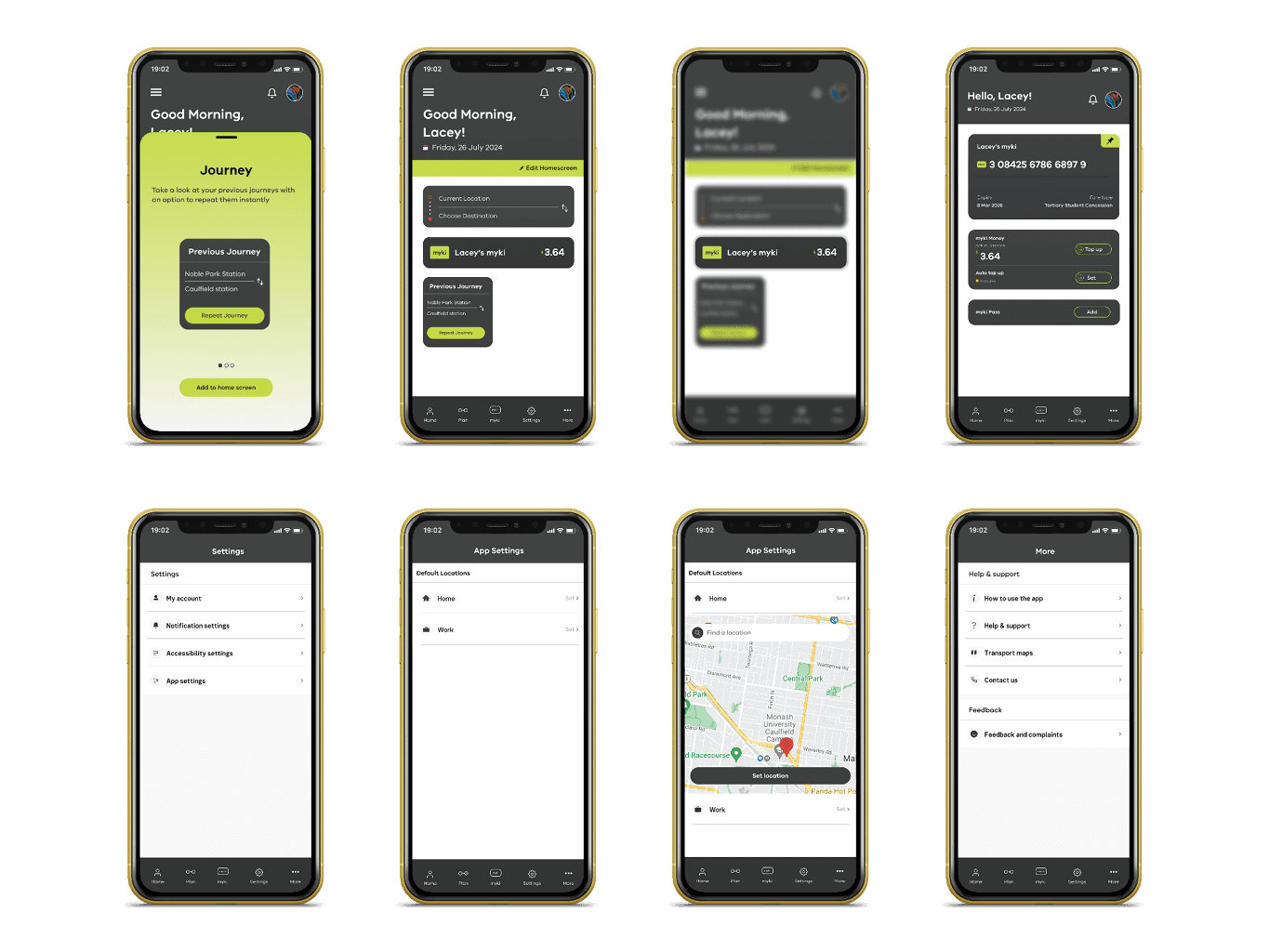
Both Apple and Android offer widgets, enabling users to see live updates from various apps directly on their home screens. My intention is to adopt this concept for the PTV app. Though, instead of presenting up-to-date information from different apps, we would showcase data regarding various features inside the app itself. Users could readily access this information without the necessity to direct themselves to the respective page to view the data. Such widgets facilitate users to prioritise and display the details they care about the most, like preferred routes, current myki balance, or myki card specifics.
RE-IMAGINATIONS
By looking at and seeking feedback from peers and friends about the existing app, I have come up with three things that make the user experience of the PTV app better than before.
The importance of user centered design where we understand users through research and feedback, by creating user personas and empathy maps
Learning that visual consistency promotes a sense of cohesion, by standardising the UI elements of the PTV app, making it more consistent.
EMPATHY MAP
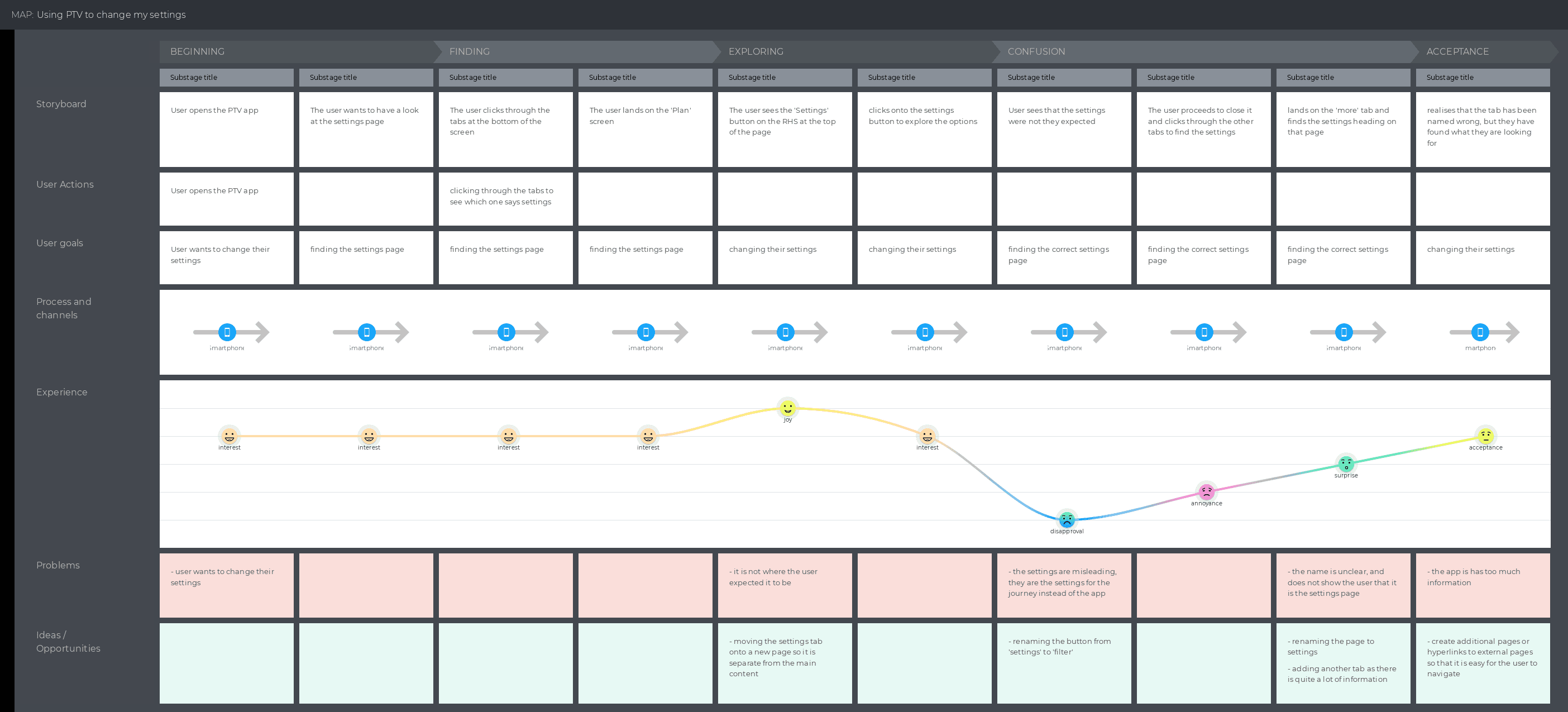
This journey map illustrates how Tim, a retired accountant, struggles to find the app settings in the PTV app.
Objective
To identify pain points in accessing app settings and improve discoverability.
Key Insights
Unclear Icon: There is no distinct icon for the settings page.
Misleading button labels: Buttons are labelled incorrectly, which causes confusion for users
Screens within screens: There is an overwhelming amount of screens throughout the app which causes frustration for users
CONCEPT
"Imagine being able to personalise your PTV home screen to display exactly what matters most to you."
Both Apple and Android offer widgets, enabling users to see live updates from various apps directly on their home screens.
My intention is to adopt this concept for the PTV app. Though, instead of presenting up-to-date information from different apps, we would showcase data regarding various features inside the app itself.
Users could readily access this information without the necessity to direct themselves to the respective page to view the data.
Such widgets facilitate users to prioritize and display the details they care about the most, like preferred routes, current myki balance, or myki card specifics.
EMPATHY MAP
This journey map illustrates how Tim, a retired accountant, struggles to find the app settings in the PTV app.
Objective
To identify pain points in accessing app settings and improve discoverability.
Key Insights
Unclear Icon: There is no distinct icon for the settings page.
Misleading button labels: Buttons are labelled incorrectly, which causes confusion for users
Screens within screens: There is an overwhelming amount of screens throughout the app which causes frustration for users