AccessABLE Adventures
As part of the Accenture Women in Technology Bootcamp, we were tasked with designing and developing a solution to enhance the daily lives of those who live with disabilities, our solution was 'AccessABLE Adventures'.
Our main solution was a website, which provides information and tools to help individuals with disabilities plan and execute their travel around Melbourne with ease. This application was designed to accompany the website, so it can be utilised on the go.
✴ Tools used

AccessABLE Adventures is a mobile-first platform that helps people with disabilities plan accessible trips across Melbourne.
The goal was to create a solution that is simple, inclusive, and trustworthy, making accessibility information easy to find and act on.
The scope included:
A responsive website and mobile app
Accessibility-first UX/UI
Filtering system for different accessibility needs
Clear, consistent, high-contrast visual design
Disabled Australians face significant barriers that limit their access to the social, leisure, and everyday life experiences that are easily accessible to others. With 1 in 6 Australians living with a disability, these barriers, including physical, sensory, and attitudinal challenges, prevent equitable participation in travel and social life, impacting their quality of life and inclusion within society.
RESEARCH + IDEATION
Our initial concept was a simple website where users could find accessibility-related resources and planning information. While this solved part of the problem, it lacked personalisation and didn’t fully support the way people plan travel in real time.
As a team, we voted on ideas and aligned on a shared goal: creating a solution that genuinely makes travel easier for people with disabilities.
However, during early research, we ran into several roadblocks with our initial concept:
A similar platform already existed (Accessibility Australia).
The idea didn’t offer strong differentiation or long-term scalability.
DESIGNS
Developed accessible colour palette with strong contrast.
Designed large, clear tappable elements and simplified navigation.
PROTOTYPING + ITERATION
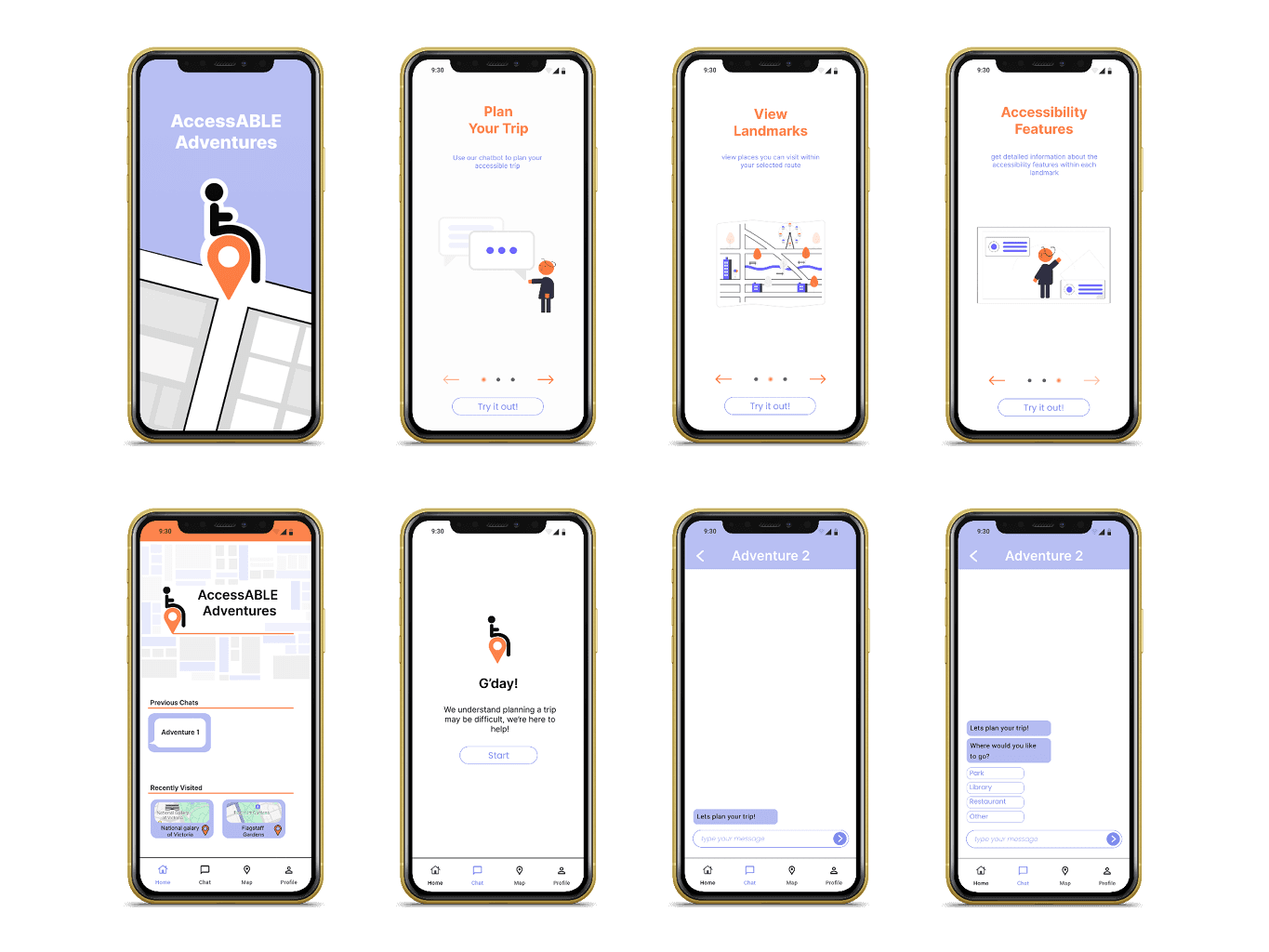
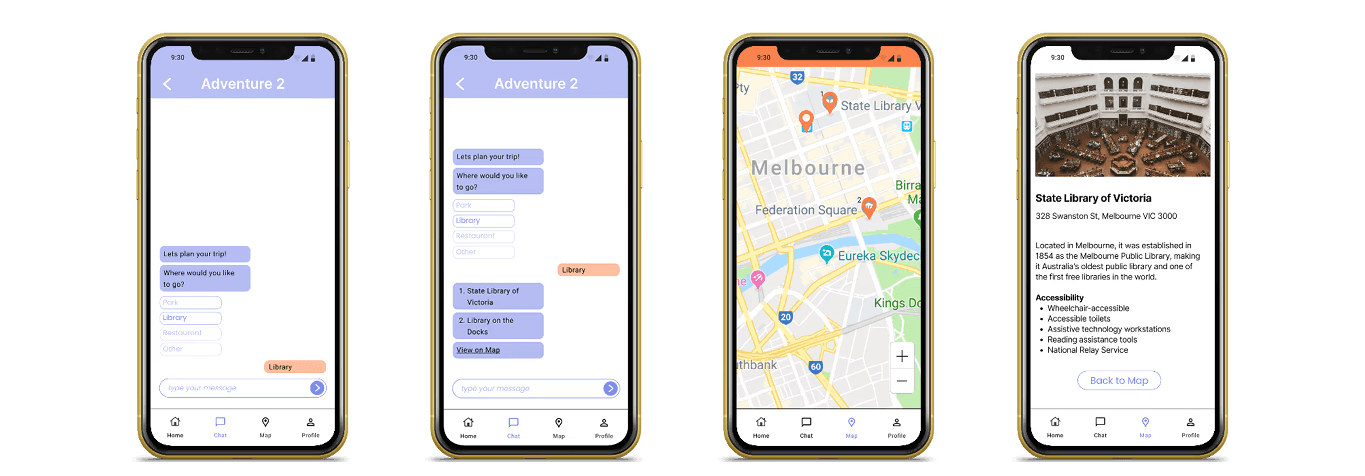
Built an interactive prototype in Figma.
Refined based on usability feedback, focusing on clarity and accessibility.
Designing for accessibility improves usability for all users
Effectively collaborate with multiple team members of different disciplines
Small decisions (contrast, button spacing, icon clarity) have a large impact on comfort and confidence.
Adapting to feedback from team members and mentors